
How to Use the Citation Machine to Find, Generate & Annotate Sources
Your Complete Guide to Using MyEssayWriter.ai's Citation Machine

MyEssayWriter.ai
Last Update hace un año
Citations don’t have to be a headache. With MyEssayWriter.ai’s powerful citation machine, you can easily find scholarly sources, generate accurate citations, and even create professional annotations—all in one place.
Here's how you can make the most of this all-in-one academic tool:
This tool brings together three core features that simplify your research process:
- Citation Finder – Search and select the right sources.
- Citation Generator – Format your references correctly.
- Annotation Generator – Create helpful summaries of your sources.
How to Use the Citation Finder
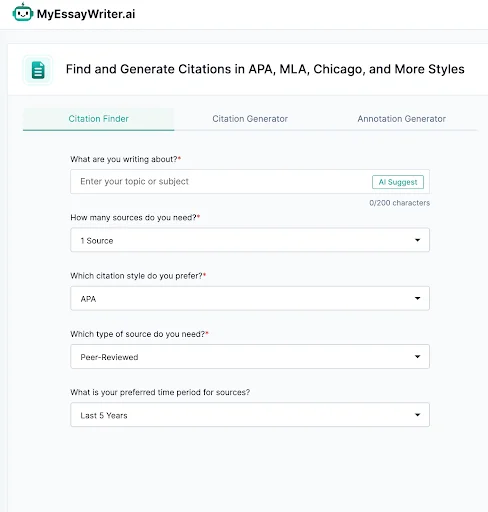
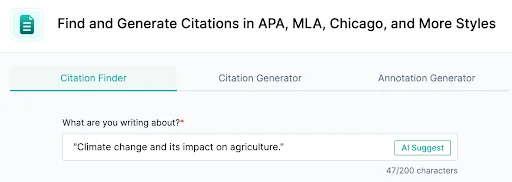
Step 1: Enter Your Topic
Type in the subject or topic of your research to help the tool pull relevant sources.
Step 2: Choose the Number of Sources
Select how many citations you need for your paper.

Step 3: Pick a Citation Style
APA, MLA, Chicago, or others—just select your required style from the dropdown.

Step 4: Choose Source Type
Pick between journal articles, books, websites, and more for accurate academic referencing.

Step 5: Set a Time Range
Narrow down results by publication year to make sure your references are timely and relevant.

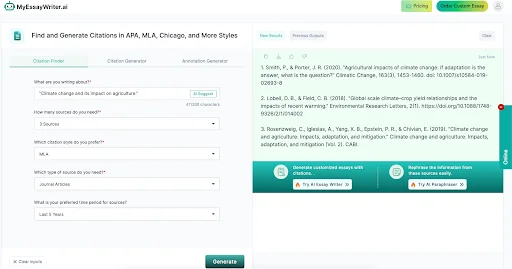
Step 6: Click “Generate”
The tool will compile your citations based on the filters you've chosen—ready to use!
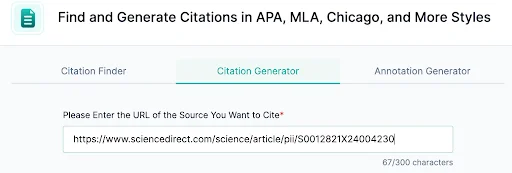
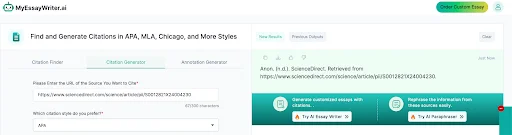
Step 1: Paste the Source URL
Drop the link of the source you want to cite, and let the tool pull the needed details.
Step 2: Select Your Citation Style
Choose from APA, MLA, Chicago, AMA, IEEE, and other standard formats.
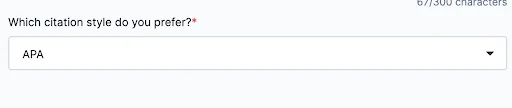
Step 3: Click “Generate”
Your formatted citation will appear instantly. Just copy and paste it into your work.
How to Use the Annotation Generator
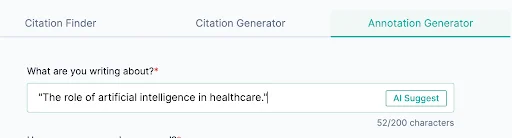
Step 1: Input Your Topic
Start by entering your research topic so the tool can generate focused citations and annotations.
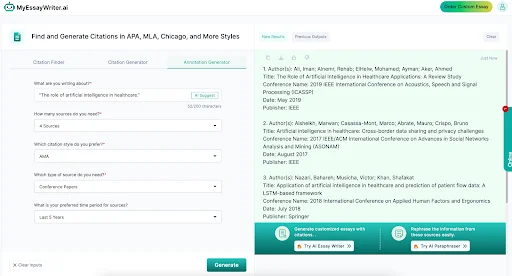
Step 2: Define Source Quantity
Choose how many annotated sources you'd like the tool to create for you.

Step 3: Pick Citation Format
Select your required citation style so the annotations are formatted correctly.

Step 4: Choose Type of Source
Select from academic journals, books, websites, or other reference types.

Step 5: Set a Publication Time Frame
Filter results by how recent the sources are—ideal for modern research.

Step 6: Hit “Generate”
You’ll receive well-structured citations with short annotations that summarize and explain each source’s value.
It’s everything you need to organize your references and add scholarly credibility to your assignments.
Want to step up your essay writing game too? Check out how our AI Essay Writer can help you create polished academic work—complete with properly formatted citations and detailed annotations in no time!